WhatsApp ordering that actually reaches the kitchen
Guests already message you on WhatsApp. The gap is what happens between their order and a ticket the kitchen can cook.
ATBy Ashish TiwariWriter, YUVAVI POS
What “WhatsApp ordering” has to mean
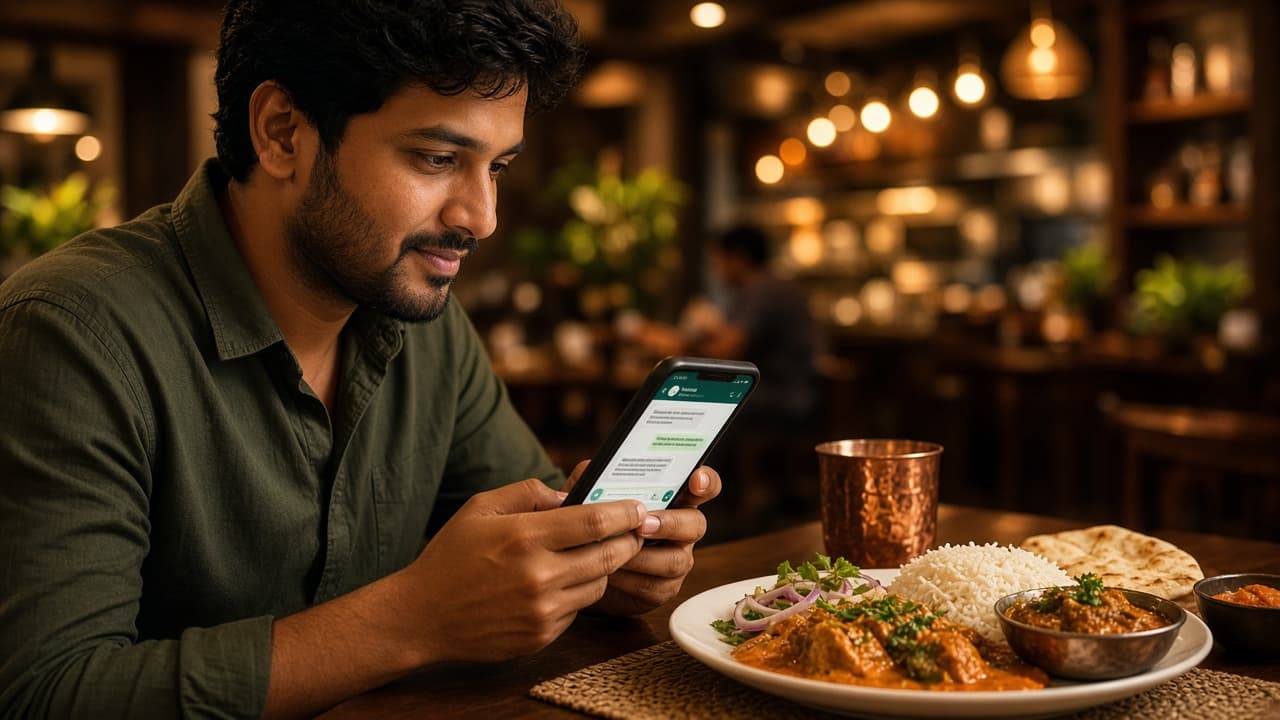
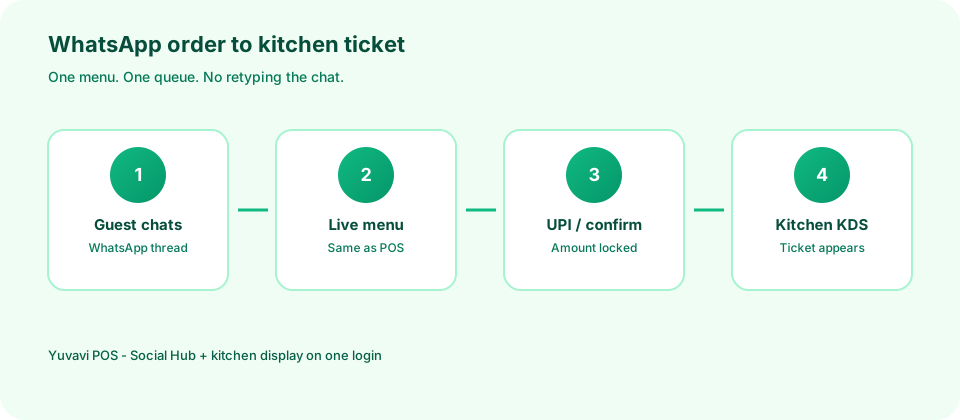
A link that opens a PDF menu is not ordering. Ordering means the guest picks items, pays or confirms, and the kitchen sees a ticket with the table or name — without someone retyping the chat into the POS.
If a human still copies messages into billing, you have a chatbot with a typing tax. The system under the chat has to be the same menu and the same kitchen queue you already use on the floor.
- Menu and prices from the live POS catalogue
- Payment or cash-on-delivery rules you choose
- A ticket on the kitchen display or printer within seconds of confirm
The funnel worth watching every week
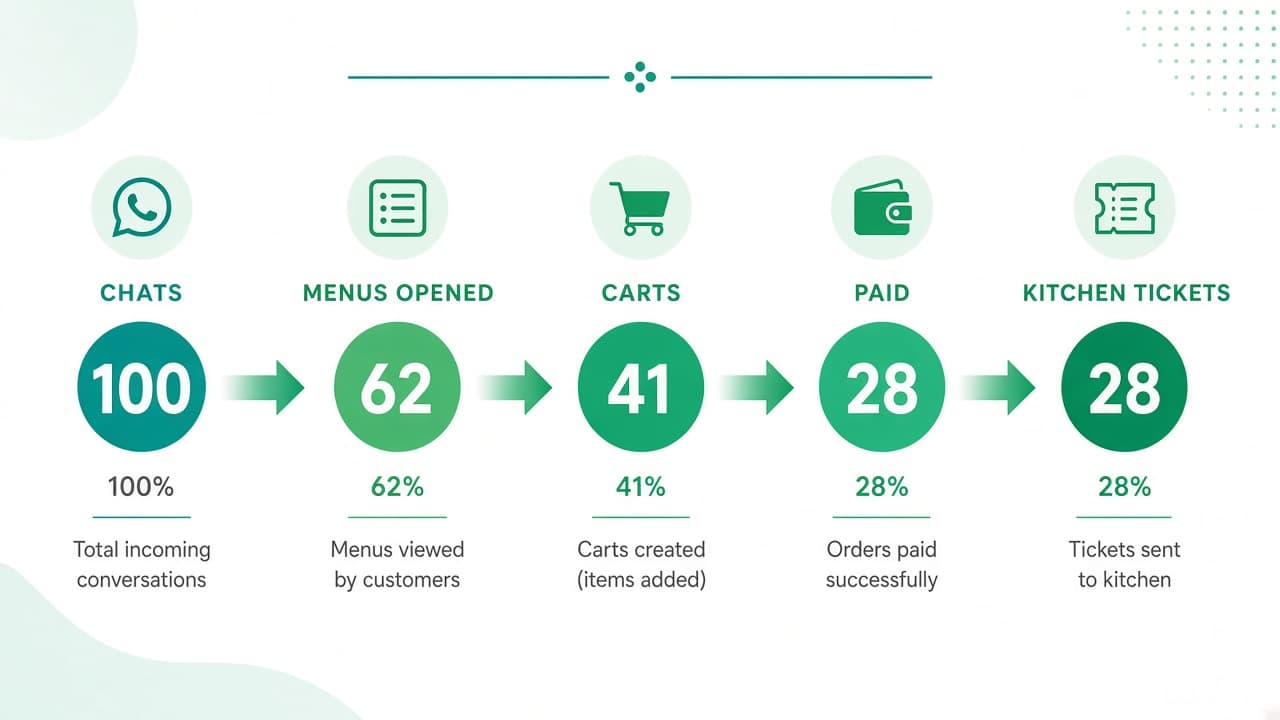
Once chat and POS are connected, treat WhatsApp like any other channel: count how many conversations opened a menu, how many built a cart, how many paid, and how many tickets hit the kitchen without a staff rewrite.
A healthy pattern looks like a taper — not a cliff after “menu opened”. If carts die before pay, the payment step is the bug. If paid orders never appear on the KDS, the integration is the bug. Guessing from chat volume alone hides both.
- Menu opens ÷ chats started — are people finding the catalogue?
- Paid ÷ carts — is UPI or COD friction killing the order?
- Kitchen tickets ÷ paid — is anyone still retyping?
- Repeat WhatsApp orders in 30 days — is the channel earning regulars?
The 24-hour window is not optional
WhatsApp lets you reply freely only while the guest messaged you recently. Outside that window you need approved templates. That is why order-ready and bill messages should be templates you already use — not improvised broadcasts.
Treat the number as a service channel first. Offers that arrive every Friday teach people to mute you; a “your order is ready” message does not.
Where the commission goes
Aggregator apps discover guests. Regulars who already know you should not pay discovery tax forever. WhatsApp plus your own QR or website order moves that repeat volume onto a channel you control — same kitchen, less commission on the orders that were going to come anyway.
What to check before you switch it on
If billing, WhatsApp and the kitchen are three logins, the chat will look fine and the ticket will still be late. One login for menu, inbox and KDS is the boring requirement that makes the flashy flow work.
- Can a guest finish an order without calling you?
- Does the kitchen see the same ticket format as dine-in?
- Who owns the WhatsApp Business number when a staff member leaves?
Questions people ask
How does WhatsApp ordering work with a restaurant POS?
The guest orders in WhatsApp from your live menu, pays or confirms, and the same kitchen queue that serves dine-in receives the ticket — without staff retyping the chat into billing.
Is WhatsApp ordering legal and allowed by Meta in India?
Yes, when you use WhatsApp Business correctly: free replies inside the customer service window, and approved templates for utility messages outside it. Marketing broadcasts need consent and approved templates.
Can WhatsApp ordering reduce Swiggy or Zomato commission?
It can shift repeat guests to a direct channel you control. Most restaurants keep aggregators for discovery and move regulars over time rather than switching off overnight.